Create Viral Miniature Book AI Art and Live Animations Step-by-Step
Workflow Overview
Learn how to produce viral miniature book painting videos that seamlessly morph into photorealistic living landscapes using Gemini and Google Flow. This complete 3-prompt workflow covers everything from generating realistic painting sequences to dynamic frame-to-frame zoom transitions with natural ASMR audio.
Tools Used in This Tutorial
Try these tools to replicate the exact results
AI workflow orchestration and video timeline tools.
Google's flagship multimodal AI for deep reasoning, multimodal analysis, and content creation.
🛠️ Tools & Resources Used
- Google Gemini (LLM / Vision AI) - Used to analyze reference images and formulate realistic, step-by-step painting order descriptions.
- Google Flow (AI Video Generator / Editor) - Generates the macro miniature book painting animation, renders seamless live-action zoom morphs, and stitches final clips.
⏱️ Quick Workflow Summary
- Step 1: Extract the natural painting sequence from your reference image using Google Gemini.
- Step 2: Generate the macro POV miniature painting video in Google Flow using Ingredients mode.
- Step 3: Snapshot the final frame and render a seamless photorealistic transition using Frames mode.
- Step 4: Stitch both generated video clips together and export the high-resolution final video.
📝 Step-by-Step Tutorial
Step 1: Analyze Reference Image & Generate Painting Order [Timestamp: 01:01]
Open Google Gemini and upload your reference landscape or landmark photo (for example, the Eiffel Tower). Paste the analysis prompt into Gemini to output a single, naturally phrased sentence outlining the exact foreground-to-background painting order.
Prompt / Settings:
Analyze the uploaded reference image and write one sentence describing the order in which an artist would realistically paint the scene. Requirements: - Start with 'The...' - Describe the painting from foreground to background (or the most natural painting order). - Mention only the major visual elements. - Make it read naturally as part of a cinematic painting prompt. - Do not mention the camera, artist, brush, or painting process other than what is being painted. - Do not add anything that is not visible in the image. - Return only one sentence. Example style: 'The crystal-clear turquoise lake is painted first, followed by rocky shoreline details, evergreen pine trees, and the dramatic snow-capped Valley of the Ten Peaks rising in the background beneath a bright blue sky.'
Step 2: Generate the Miniature Book Painting Video [Timestamp: 01:29]
Open Google Flow and start a new project. Configure the project settings to Ingredients mode, choose the 9:16 vertical aspect ratio, select the Omni Flash model, and set the duration to 10 seconds. Upload your reference photo, add it to your prompt input, and paste the book painting generation prompt. Be sure to replace [Referenced image Name] with your subject and insert the painting order sentence generated in Step 1 into [Painting Oder].
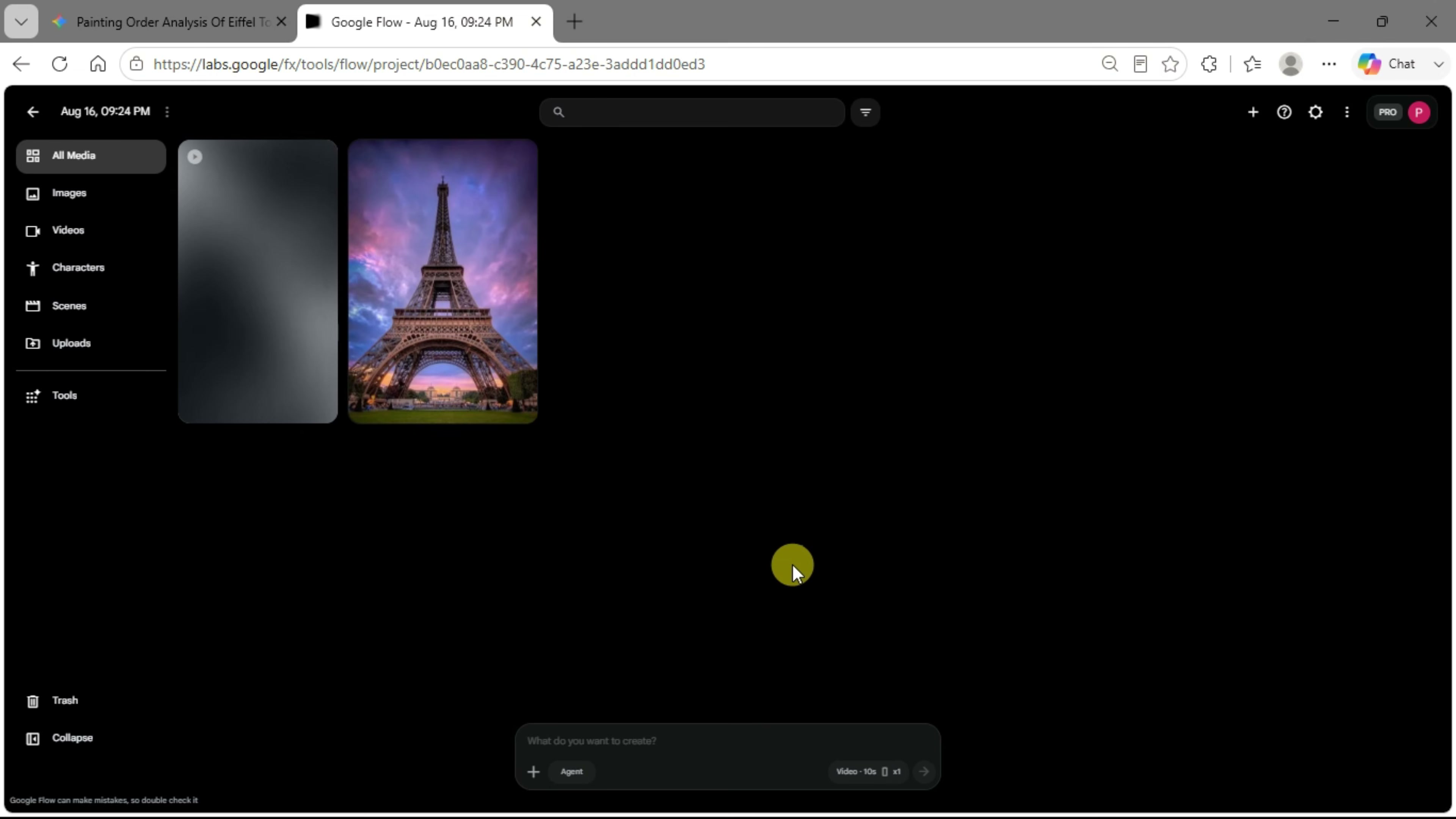
Prompt / Settings:
Ultra-realistic POV macro smartphone recording. The camera is held on head, while the hand delicately pinches an impossibly tiny handmade sketchbook only about one-third the length of a human fingertip (approximately 1 cm tall) between the thumb and index finger. The miniature book has a stitched leather spine, ultra-thin cream pages, tiny page edges, and realistic wear. The book looks unbelievably small compared to the fingerprint ridges and fingernails. The thumb gently opens to a blank page. Using an ultra-fine micro paintbrush with only a few bristles, the artist paints [Referenced image Name] entirely by hand. Every brushstroke is clearly visible in real time. [Painting Oder] Fine details are added with precise brush movements. The colors are blended naturally with delicate brush movements, creating a breathtaking miniature masterpiece. Nothing appears magically—the painting is created realistically, stroke by stroke. Every brush stroke must remain fully visible—no jump cuts, morphing, or magical appearance. Extreme macro photography with shallow depth of field, realistic smartphone autofocus breathing, slight handheld movement, natural daylight, and authentic skin texture visible on the fingers. The tiny book fills most of the frame despite its microscopic size. Audio (ASMR only): crisp page-turn sounds, tiny brush bristles gliding across textured paper, soft paper rubbing, gentle finger movements, subtle breathing, and quiet room ambience. No music, no dialogue, no narration, no captions, no cuts. Hyper-realistic viral miniature art, satisfying macro cinematography, vertical 9:16, 10 seconds.
Step 3: Snapshot Final Frame & Morph into Live-Action Scene [Timestamp: 03:08]
Pause the generated video clip at its final frame. Hover over the video playback in Google Flow and click the Snapshot icon to save the frame directly to your uploads. Next, switch the project mode from Ingredients to Frames, assign the saved snapshot as the Start Frame, and input the video transition prompt to morph the miniature artwork into a photorealistic, living environment.
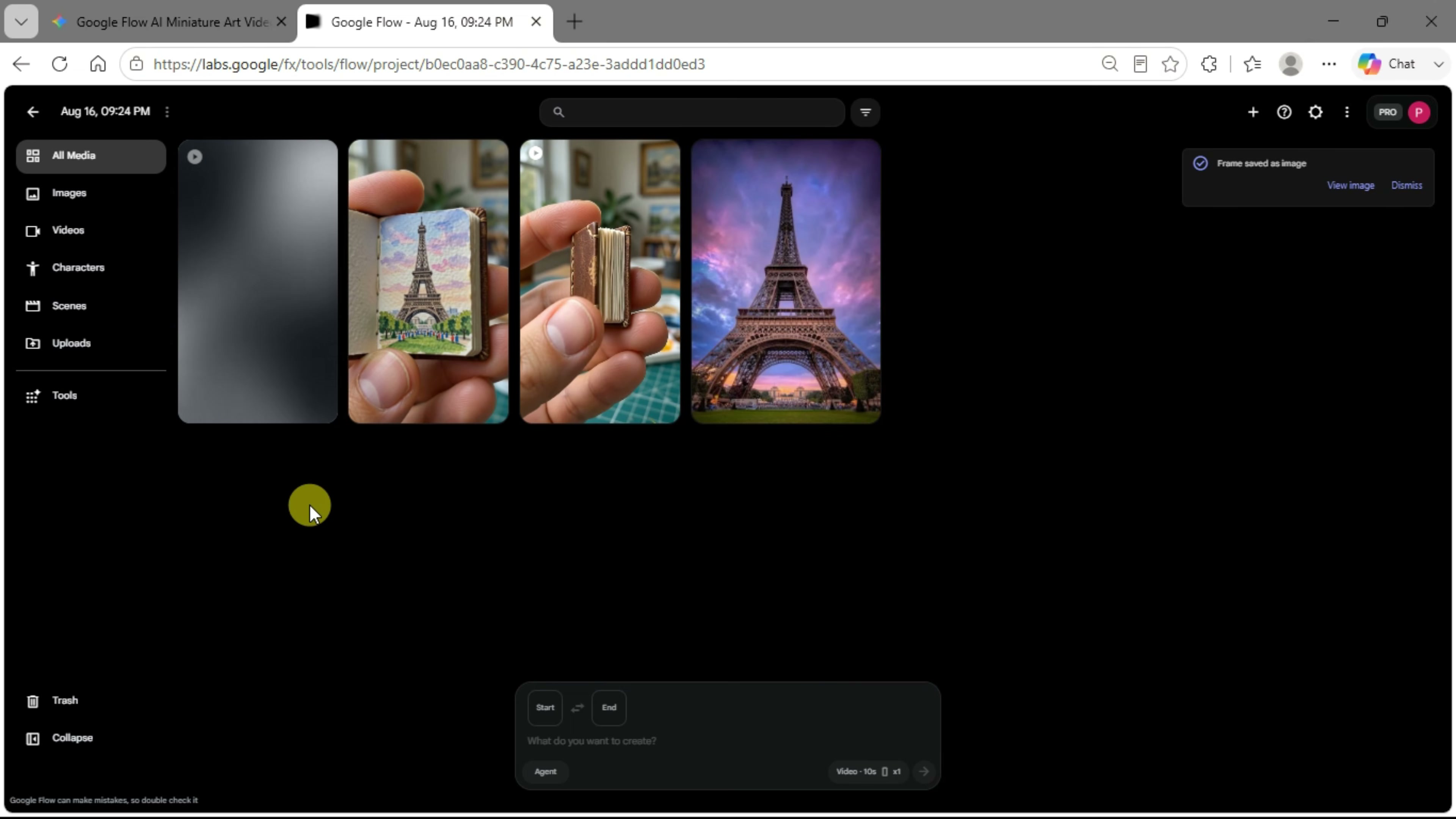
Prompt / Settings:
Use the uploaded image as the opening frame, preserving the exact composition, framing, perspective, proportions, colors, object placement, lighting direction, and overall appearance of the reference image. Within the first second, perform a rapid cinematic zoom directly into the artwork until it completely fills the frame. As the zoom continues, seamlessly and continuously transform the painted landscape into a fully photorealistic live-action version of the exact same scene through a smooth frame-by-frame morph, never using a cut, jump, dissolve, scene transition, or viewpoint change. Every visual element—including mountains, trees, water, rocks, clouds, shoreline, and all other landscape details—must remain in the exact same position, shape, scale, perspective, and composition, with no additions, removals, rearrangements, or reinterpretation. The artwork should simply become real while remaining visually identical. Once fully photorealistic, keep the camera nearly locked in place with only an extremely subtle natural cinematic drift. Animate only subtle, realistic natural movement in the elements already present in the scene. If an element is naturally static, keep it still. Do not introduce any new objects or unnecessary motion. Avoid exaggerated movement, camera shakes, object motion, or cinematic transitions. The entire sequence should feel like one uninterrupted continuous shot in which the original artwork smoothly comes to life without any visual glitches, distortion, flickering, or inconsistencies. Use only natural ambient sounds with no music, narration, dialogue, captions, or added sound effects.
Step 4: Combine Clips and Export [Timestamp: 04:19]
Select your primary miniature book painting clip inside Google Flow's timeline. Click the plus (+) icon, choose 'Add Clip', and attach the newly rendered live-action zoom clip. Preview the combined playback to verify that the visual transition and ambient sound effects blend seamlessly, then click the download icon to export your finished high-definition video.
💡 Key Takeaways & Pro Tips
- Maintain Strict Consistency: Always use the built-in snapshot tool to extract the exact final frame of the first clip as the starting anchor for the second clip. This prevents visual jumps or jarring lighting shifts.
- Focus on Audio Realism: Keep background music off during generation. Pure ASMR brush strokes and subtle environmental room ambient sounds drive significantly higher viewer retention on short-form platforms.
- Accurate Foreground-to-Background Order: Ensuring Gemini breaks down the painting sequence correctly prevents the AI generator from creating artifacts or making objects appear out of thin air.
📌 Original Source & Attribution
- Source Video: MONETIZE IN 4 DAYS! 🚀 Create Viral Miniature Book AI Art & Live Animations Step-by-Step 🎨
- Original URL: https://www.youtube.com/watch?v=xhE8OuLxBDA
- Credit: Aura Lab