Create Viral Molten Glass ASMR Videos with Free AI Tools (Step-by-Step Workflow)
Workflow Overview
Learn how to produce viral, oddly satisfying molten glass transformation videos that generate millions of views on YouTube Shorts and TikTok. This step-by-step tutorial covers how to generate viral concepts using a master prompt, generate initial visual assets, animate seamless transitions using last-frame chaining, and edit the final ASMR short.
Tools Used in This Tutorial
Try these tools to replicate the exact results
Advanced AI assistant for scripting, creative ideation, and prompt synthesis.
AI workflow orchestration and video timeline tools.
Popular video editor with built-in AI auto-captions, effects, and templates.
🛠️ Tools & Resources Used
- ChatGPT (LLM / Scripting) - Generates viral concepts, hooks, and detailed 4-scene image and video prompts.
- Google Flow (AI Image & Video Generation) - Renders high-resolution initial molten glass frames and animates transitions via Nano Banana 2 and Omni Flash.
- CapCut (Video Editing) - Sequences generated video clips, trims transition timing, and exports the final vertical short.
⏱️ Quick Workflow Summary
- Step 1: Generate viral concepts and scene prompts in ChatGPT using the master prompt.
- Step 2: Generate the hook image in Google Flow with Nano Banana 2.
- Step 3: Animate Scene 1 into vertical video using Omni Flash.
- Step 4: Chain Scenes 2 through 4 using last-frame image-to-video animation.
- Step 5: Assemble, trim, and export the complete video in CapCut.
📝 Step-by-Step Tutorial
Step 1: Generate Concepts and Scene Prompts in ChatGPT [Timestamp: 01:18]
Enter the specialized Master Prompt into ChatGPT to brainstorm 10 high-retention molten glass concepts with strong hooks. Review the suggestions and select the strongest idea (such as transforming molten lava glass into a violin). ChatGPT will then provide a structured 4-scene breakdown including an initial image prompt and sequential video prompts.
Prompt / Settings:
Act as an expert AI Prompt Engineer and Viral YouTube Shorts Strategist specializing in the molten glass art and glassblowing niche (inspired by channels like Sylcom Light).

Your task is to generate viral video concepts and precise AI generation prompts following these steps:

### Step 1: Generate 10 Viral Short Ideas
Provide 10 high-retention YouTube Shorts ideas featuring glowing molten glass, golden lava crafting, satisfying ASMR shapes (e.g., molten leaf, glass violin, forbidden pancake, glowing sword).
Each idea must include:
- Title
- Core Concept
- Ultra-strong Hook (First 3 seconds text/voiceover)

### Step 2: Evaluation & Selection
Evaluate all 10 ideas based on visual impact, curiosity factor, and viral potential. Identify the #1 strongest idea and provide a short rationale for why it is the best.

CRITICAL INSTRUCTION: AFTER COMPLETING STEP 1 AND STEP 2, YOU MUST STOP. Ask me: 'Which idea would you like to proceed with?' Do NOT generate the scenes. Wait for my response before moving to Step 3.

### Step 3: 4-Scene Breakdown for the Selected Idea
Only execute this step AFTER I have replied with my chosen idea.
Break down the chosen idea into exactly 4 sequential scenes for a 9:16 vertical short.
- Scene 1 MUST contain both an Image Prompt and a Video Prompt.
- Scenes 2, 3, and 4 MUST contain only Video Prompts.

IMPORTANT FORMATTING RULE:
Every single Image Prompt and Video Prompt you generate MUST be placed inside its own separate markdown code block so I can easily copy them with one click.

Output structure for Step 3:

Scene 1 (Hook Scene)
- Visual Description & Hook Text:
- Image Prompt: [Put the Midjourney/Flux prompt inside a code block]
- Video Prompt: [Put the Sora/Runway/Kling prompt inside a code block]

Scene 2 (Crafting/Shaping)
- Visual Description:
- Video Prompt: [Put the prompt inside a code block]

Scene 3 (Detail & ASMR Action)
- Visual Description:
- Video Prompt: [Put the prompt inside a code block]

Scene 4 (Final Masterpiece Reveal)
- Visual Description:
- Video Prompt: [Put the prompt inside a code block]

### Style Guidelines for AI Prompts:
- Image Prompts: Close-up macro shot, glowing 1200°C molten glass, orange/gold lava texture, industrial workshop background, cinematic depth of field, 8k resolution, --ar 9:16.
- Video Prompts: Hyper-realistic 9:16 vertical video, molten glass stretching/shaping with metal tongs, glowing orange heat, subtle camera pan/zoom, 60fps cinematic lighting.
Step 2: Generate the Scene 1 Base Image [Timestamp: 02:40]
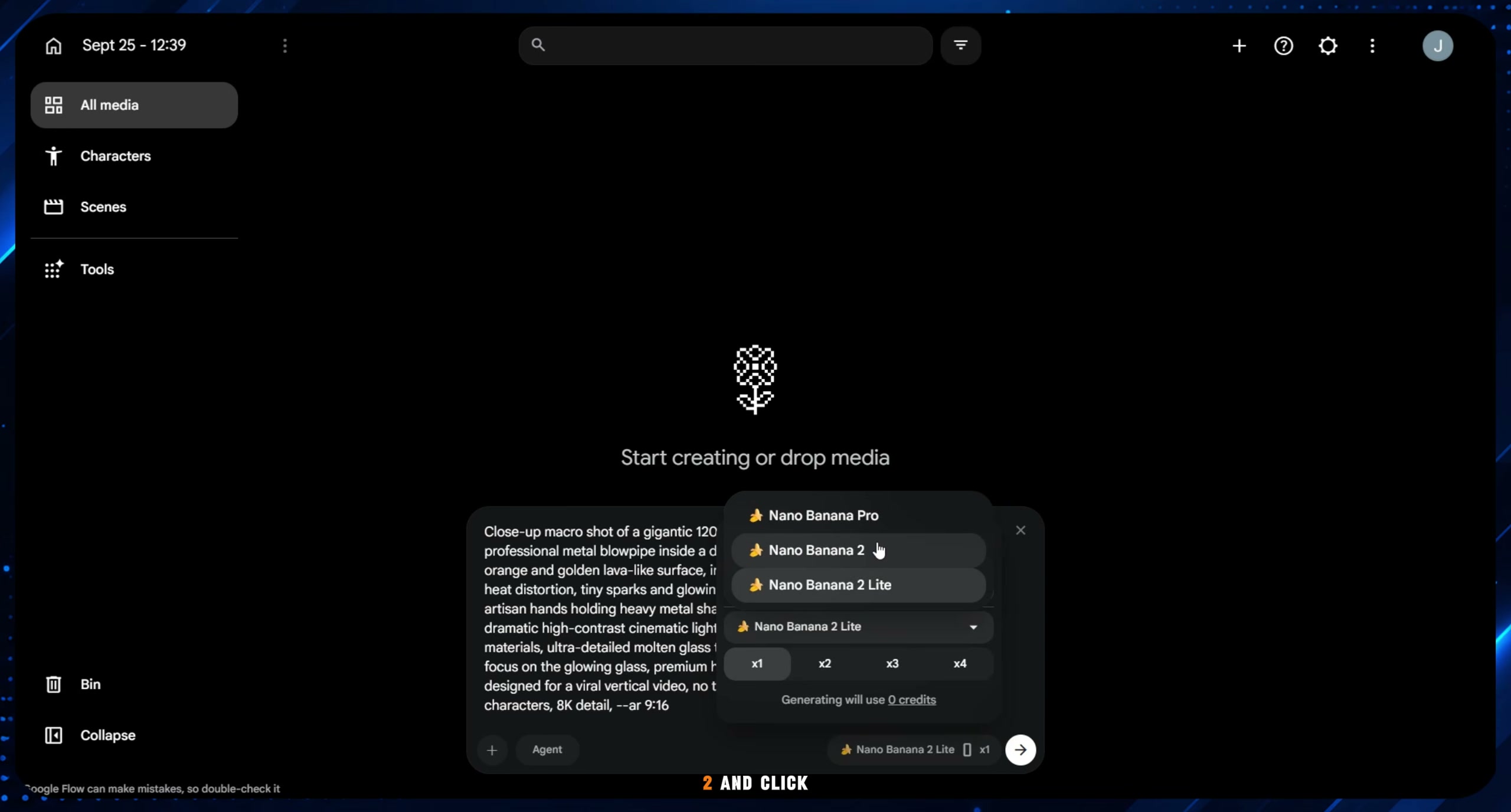
Navigate to Google Flow to create your first visual asset. Copy the Scene 1 image prompt from ChatGPT and paste it into the prompt field. Configure the output aspect ratio to 9:16 vertical and select the Nano Banana 2 model before clicking generate.
Prompt / Settings:
Model: Nano Banana 2
Aspect Ratio: 9:16
Prompt: Close-up macro shot, glowing 1200°C molten glass, orange/gold lava texture, industrial workshop background, cinematic depth of field, 8k resolution
Step 3: Animate Scene 1 into Video [Timestamp: 02:55]
Once the base image is generated, select the Animate function on your result. Paste the Scene 1 video prompt provided by ChatGPT, retain the 9:16 aspect ratio, and select the Omni Flash video model to render the opening hook clip.
Prompt / Settings:
Model: Omni Flash
Aspect Ratio: 9:16
Video Prompt: Hyper-realistic 9:16 vertical video, molten glass stretching and shaping with metal tongs, glowing orange heat, subtle camera zoom, 60fps cinematic lighting
Step 4: Chain Subsequent Scenes Using Last-Frame Continuity [Timestamp: 03:18]
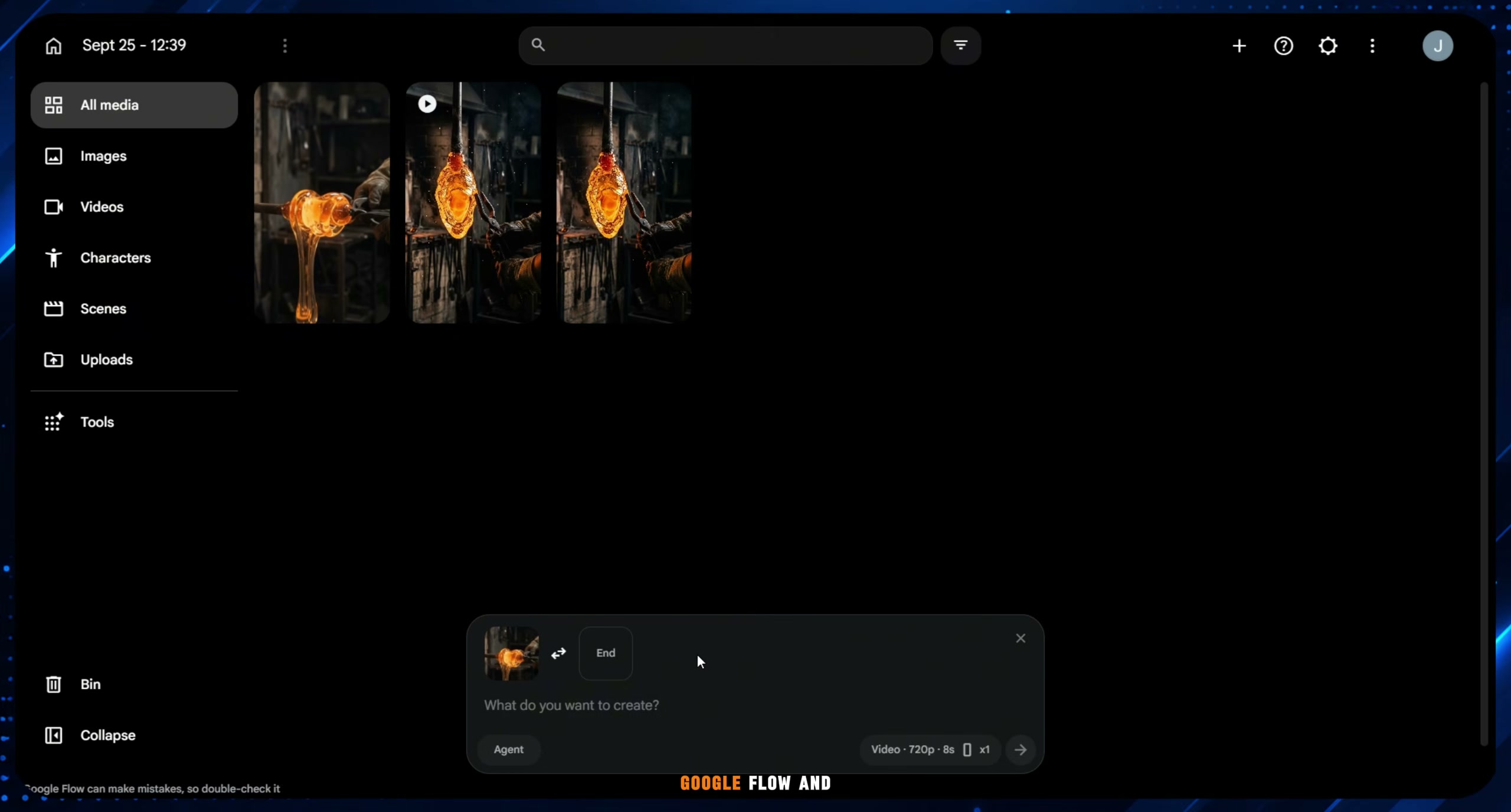
To maintain visual continuity without starting from scratch, export and save the last frame from Scene 1. Re-upload that final frame as the starting image for Scene 2, apply the Scene 2 video prompt, and generate the clip. Repeat this exact last-frame chaining workflow for Scene 3 (detail shaping) and Scene 4 (final object reveal).
Step 5: Assemble and Edit the Short in CapCut [Timestamp: 03:51]
Download all 4 generated video clips and import them into CapCut in chronological order. Trim unwanted transition frames, pace the cuts so the molten material transforms smoothly every few seconds, and export the vertical short in 1080x1920 resolution.
💡 Key Takeaways & Pro Tips
- Chain with Last-Frame Exports: Never generate sequential scenes from standalone text prompts alone; chaining the last exported frame ensures the glowing glass retains its color, texture, and physical position.
- Pacing is King for Retention: Oddly satisfying ASMR videos rely on constant visual evolution. Ensure something changes or morphs every 2 to 3 seconds to keep viewer retention near 100%.
- Hook with Impossible Shapes: Start with a simple, shapeless glowing blob and promise an unexpected result (e.g., transforming into an intricate violin or sword) to maximize watch time.
📌 Original Source & Attribution
- Source Video: This Secret AI Niche Got 358M Views! (Using FREE AI Tools)
- Original URL: https://www.youtube.com/watch?v=nxSh5QzVf6c
- Credit: Infinity Visuals